

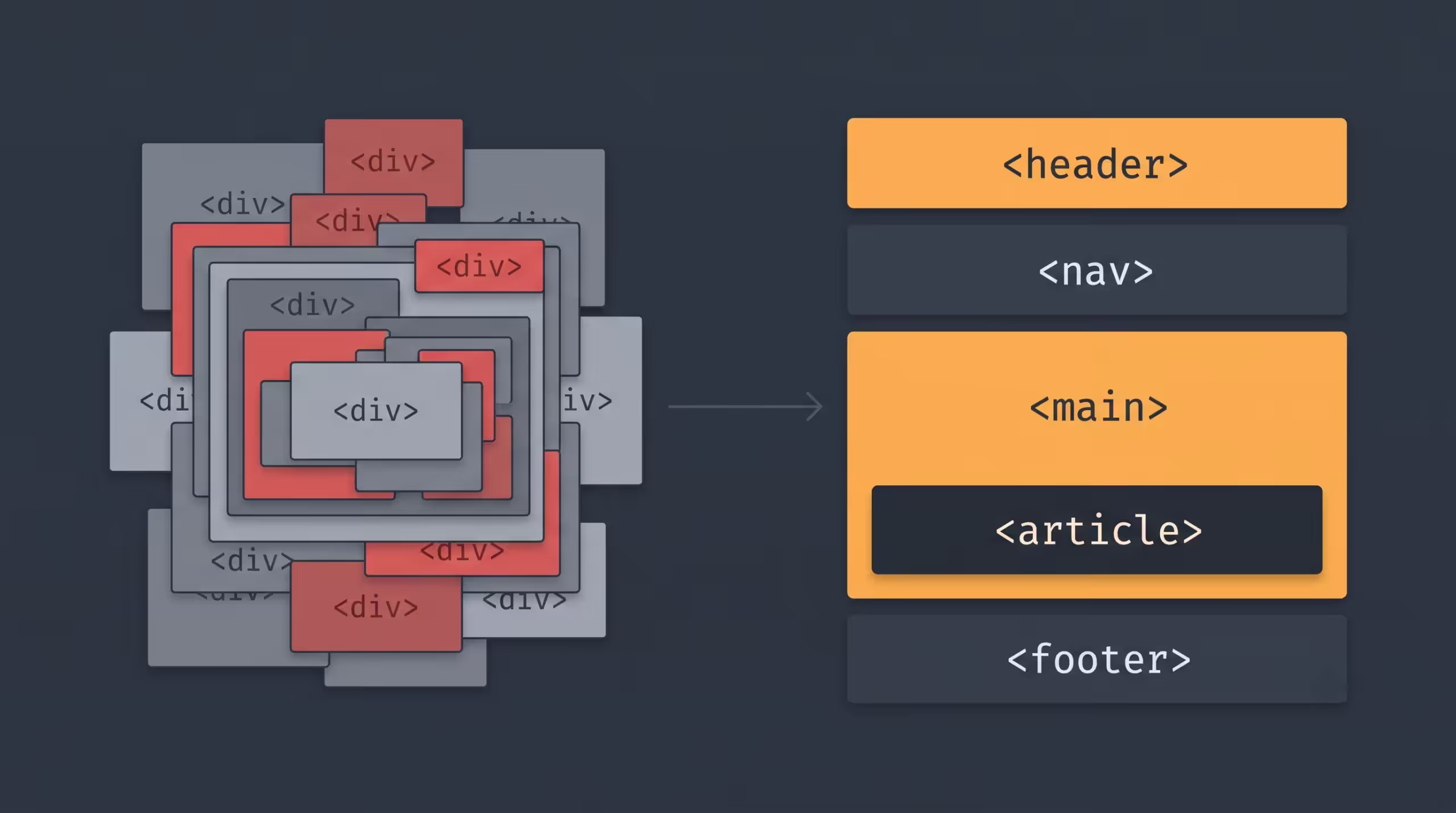

A page builder hides the HTML from you. That’s the selling point and the trap. You drag a heading, drop a column, and the builder writes the markup underneath. What it writes decides how fast your page loads, how well Google reads it, and whether a screen reader can follow it. Most builders write that markup badly.
What “SEO-friendly HTML” actually means
Three things, mostly:
Semantic tags. A crawler reads <header>, <nav>, <main>, <article>, and <footer> as a map of the page. Wrap everything in <div> and you hand it a blank sheet. Those same landmarks let screen readers jump between sections, so the markup that helps Google helps accessibility.
Heading hierarchy. One <h1> per page, then <h2> and <h3> in a logical order. Headings tell search engines what the page is about and how its ideas nest. A builder that drops an <h4> before any <h2> because it looked right on screen breaks that structure.
A lean DOM. Every extra wrapper is another node the browser has to parse, style, and paint. A 3,000-node page renders slower than a 900-node one. Core Web Vitals, Google’s confirmed speed and stability signals, punish the heavy version.
Notice what’s missing from that list: keyword-stuffed alt text, hidden H1s, the old tricks. Structure is plumbing. It won’t rank you on its own, but bad plumbing caps how far the rest of your SEO can go.
The page-builder problem
Most builders optimize for drag-and-drop convenience, and the markup pays for it. Elementor is the textbook case: one section can nest four or five <div> wrappers deep before you reach the actual content. Developers call it “div soup.” Add inline styles on every element and a stack of render-blocking CSS and JS, and a simple landing page ships thousands of DOM nodes and a slow first paint.
The page still looks fine in the browser. That’s why the cost hides. The damage lives in the source, not the screenshot.
Why Bricks does it better
Bricks was built by developers who cared about the output, and it shows in three places.
You pick the tag. Every element in Bricks has a tag setting. A section can be a real <section>, a <header>, or an <article>. A wrapper can be a <nav>. You set heading levels directly, so hierarchy follows meaning instead of font size. Most builders don’t hand you that control; Bricks makes it a dropdown.
It writes lean markup. Bricks adds the wrappers a layout needs and stops. No four-div nest around one button. The result is a smaller DOM, faster parsing, and better Core Web Vitals before you optimize anything.
It works the way CSS works. Instead of stamping inline styles onto every element, Bricks uses global classes. Style a .button class once and reuse it, the way you’d write a real stylesheet. The HTML stays clean, the CSS stays reusable, and the whole site loads lighter.
Bricks also ships as a theme rather than a plugin bolted onto a separate theme, so there’s less duplicated framework code loading on every request. Fewer moving parts, less weight.
What to do with this
If you’re already on Elementor or Divi and ranking fine, don’t rebuild tomorrow. Structure is a ceiling, not an instant penalty. But for a new build where SEO and speed matter, the builder you pick sets your baseline. Bricks gives you semantic tags, clean headings, and a light DOM without fighting the tool. That’s a better starting line than scrubbing div soup out after launch.